Booking SNS Appointments Online (SNS 24 and the App)
Disclosure: This article contains affiliate links. If you buy through them, we may earn a commission at no extra cost to you. Read our full disclosure.
You have your Número de Utente, you finally downloaded the SNS 24 app, and your daughter has a fever and an ear infection brewing. You tap around looking for a “book appointment” button and hit a wall of Portuguese menus and a login screen asking for something you have never heard of. This guide covers how booking SNS appointments online actually works, using the SNS 24 app, the website and the 808 24 24 24 line, so you can get seen without losing a morning at the health centre.
How Online Booking Fits Into Portugal’s Public Health System
Booking a public appointment online in Portugal is not like booking a table at a restaurant. Nobody explained that to me when I arrived in Lisbon, and it cost me several weeks of frustration. The SNS 24 ecosystem is the digital front door to the Serviço Nacional de Saúde. It has three parts: a mobile app, a website with a personal area, and the phone line. They overlap, but each does slightly different things. Once you see how they connect, the system becomes far less mysterious.
What SNS 24 Actually Is
SNS 24 is the public service run by SPMS, the state body behind the SNS’s digital and shared services. It covers clinical triage by phone, administrative help, and a digital platform where you manage your own health data. Think of it as a layer that sits on top of your local Centro de Saúde rather than replacing it. When you book a consultation through the app, you are usually reserving a slot in your own health centre’s schedule, often with your assigned family doctor or their team.
So the app is only as useful as your registration behind it. If your utente number is linked to a health centre and you have a médico de família, the booking features can work very well. If your registration is incomplete, or you sit on the “utentes sem médico de família” list, many buttons will either be missing or lead to a message saying no slots are available. That is not a bug. It reflects your actual status in the system.
If you have not sorted out your registration yet, start there. The process is covered in detail in Registering with the Centro de Saúde: Getting Your SNS Número de Utente, and there is a remote route described in How to get your Número de Utente online without visiting the health center.
Why the Family Doctor Question Changes Everything
This was the single biggest shock for me and almost every expat friend I have in Portugal. The online booking tools are built around the médico de família model. Your family doctor’s team controls a calendar. Some of those slots are opened for online booking and some are reserved for phone or desk booking. In some health centres, the online calendar is generous. In others, it barely exists.
My neighbour in Campo de Ourique, a retired teacher from Manchester, had a family doctor within months of registering and books routine reviews on her phone over breakfast. My friend in Amadora waited much longer, and her app showed nothing bookable at all. Same app, same country, completely different experience. The difference was her registration status and the capacity of her local unit, not her tech skills.
If you are in that second group, you are not doing anything wrong. The reasons behind the shortage are explained in Why does my Centro de Saúde say they have no Médico de Família available? Until it is resolved, rely more heavily on the phone line and on the acute-illness routes covered later in this guide.
The Three Channels at a Glance
Before getting into the step-by-step part, here is how the channels compare in practice. I have used all of them in different situations, from booking a vaccination review to getting triaged at midnight with a sick toddler.
| Channel | Best used for | Login or ID needed | Language support | When it is available |
|---|---|---|---|---|
| SNS 24 app | Booking health centre consultations, viewing prescriptions, vaccines and exam results, requesting chronic medication renewals | Secure login linked to your utente number | Interface mainly in Portuguese | Any time, subject to slots your health centre opens |
| SNS 24 website personal area | Same core features as the app, easier on a large screen for reading documents | Same credentials as the app | Interface mainly in Portuguese | Any time, subject to slots your health centre opens |
| 808 24 24 24 phone line | Clinical triage when you feel ill, plus administrative help with registration and access | Have your utente number ready | You can ask to be served in English | Clinical contact 24 hours a day every day; administrative contact 8:00 to 22:00 every day |
| Health centre desk or phone | Booking when online slots are missing, sorting registration problems | Utente number and ID document | Varies by staff member | Health centre opening hours, which vary by unit |
Setting Up the SNS 24 App So Booking Actually Works
Most expats who tell me “the app doesn’t work” have a setup problem, not an app problem. Getting the foundations right takes maybe an afternoon. It saves you endless repeated attempts later.
Before You Download: The Checklist
Gather a few things before you even open the app store. Doing this first means you will not get halfway through registration and abandon it because a code went to a phone number you no longer use.
- Your Número de Utente, the nine-digit SNS user number, from your registration document or your health centre.
- A Portuguese mobile number that is registered against your utente record, because verification codes are typically sent by SMS.
- An email address you check regularly, since some confirmations and notifications arrive that way.
- Your residence document or passport, in case you need to set up a government digital login such as the Chave Móvel Digital.
- Patience with Portuguese menus, plus a translation app with camera mode on a second device if you are not yet confident reading the language.
The phone number point catches people constantly. If you registered at the health centre with a foreign number, or a temporary SIM from the airport, your codes may be going nowhere. Ask your health centre’s reception to update your contact details. You can also call the administrative side of the SNS 24 line, which, as of October 2026, takes calls from 8:00 to 22:00 every day.
Creating Your Account and Logging In
Download the official SNS 24 app from the Apple App Store or Google Play. Check that the publisher is the Portuguese health ministry’s services body, because copycat apps do exist. The general flow looks like this:
- Open the app and choose the option to enter or log in to your personal area.
- Select an authentication method. The options typically include the Chave Móvel Digital, the Portuguese state’s digital login, and sometimes a citizen card reader option that is mainly relevant to Portuguese nationals.
- If you do not have the Chave Móvel Digital yet, follow the official activation process for foreign residents. It links your identity to your Portuguese mobile number so you can receive one-time codes.
- Authorise the SNS 24 app to access your health record when prompted.
- Confirm your personal details on the profile screen: name, utente number, health centre and contact phone.
- Turn on notifications so appointment reminders and prescription alerts actually reach you.
The Chave Móvel Digital is worth setting up anyway. It unlocks far more than healthcare, including tax and social security portals. Once it is active, logging in to SNS 24 takes seconds. Check the app’s own login screen for the exact options it currently offers, because authentication methods do change.
Learning the Key Portuguese Menu Words
The interface is largely in Portuguese. You do not need fluency, but a handful of words makes a huge difference. I kept these on a sticky note on my fridge for my first year.
| Portuguese term | What it means in practice |
|---|---|
| Agendar consulta | Book a consultation |
| Consultas | Your appointments list, past and upcoming |
| Médico de família | Your assigned family doctor |
| Unidade de saúde | Your health unit or health centre |
| Receitas | Prescriptions, including electronic ones you show at the pharmacy |
| Renovação de medicação crónica | Request to renew long-term medication |
| Vacinas | Vaccination record |
| Resultados de exames | Test and exam results |
| Desmarcar | Cancel an appointment |
| Teleconsulta | Video or remote consultation |
For more coping strategies with Portuguese-only systems, see Navigating the public health system if you only speak English (Translation tips).
Step-by-Step: Booking, Changing and Cancelling Appointments Online
Here is the practical part, written the way I wish someone had explained it to me. The exact labels may shift slightly between app updates, but the logic stays the same.
Booking a Consultation With Your Health Centre
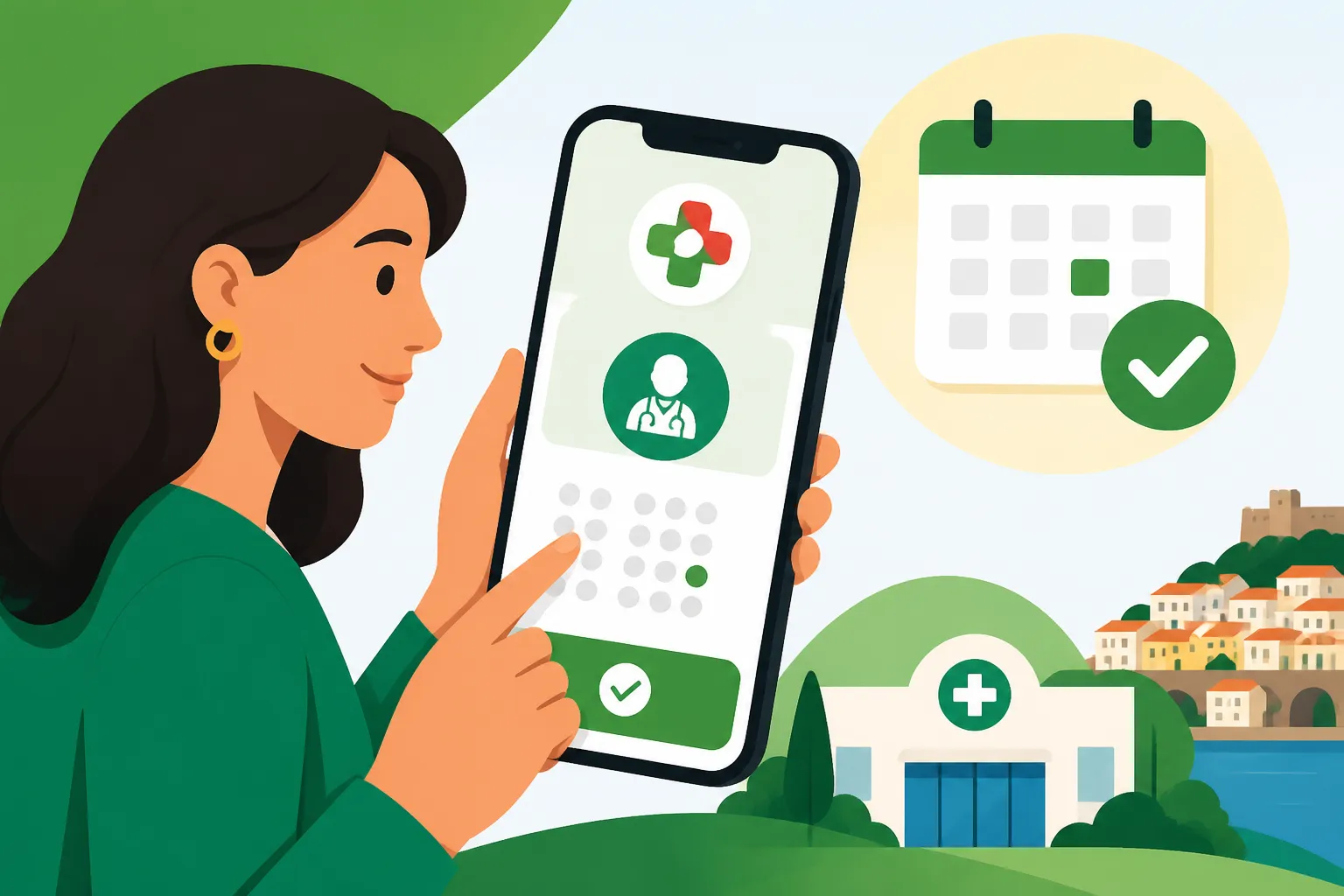
Say you are Sarah, a designer living in Arroios. You have a family doctor at your local USF, short for Unidade de Saúde Familiar. You want a routine check-up and to discuss some blood pressure readings from a pharmacy machine. Here is what she would do:
- Log in to the SNS 24 app.
- Open the appointments section, usually labelled Consultas or Agendar consulta.
- Choose to schedule a new consultation.
- Select the type of consultation if asked. Options can include an in-person visit with your family doctor, a nursing consultation, or a remote consultation.
- Pick a date and time from the slots shown. If the calendar is empty, the unit has no slots open for online booking right now.
- Add a short reason for the visit if there is a free-text field. Simple phrases work, and a translated sentence is fine.
- Confirm the booking and check that it now appears in your upcoming appointments list.
- Screenshot the confirmation. It helps if there is ever confusion at reception.
If no slots appear, try at different times of day. In some health centres, slots are released in batches, and the most popular ones go quickly. Several friends in Porto swear by checking first thing in the morning. That is anecdotal, but it costs nothing to try. If the calendar stays empty for days, phone the health centre directly or use the SNS 24 line’s administrative support.
A note on cost: depending on your situation, some SNS services carry a user co-payment, while many people are exempt. The rules are in Taxas Moderadoras: Co-payments and Costs in the Public Health System. Check your own exemption status rather than assuming either way.
Cancelling or Rescheduling Without Burning Bridges
Life happens. Your child gets sick, or a work meeting moves. In Portugal, quietly not showing up is frowned upon, and slots are precious. Cancelling properly is both courteous and practical, because it frees a slot for someone else.
- Open the app and go to your upcoming appointments.
- Select the appointment you want to change.
- Choose the cancel option, typically labelled Desmarcar or Cancelar.
- Confirm the cancellation and check that the appointment has disappeared from your list or shows as cancelled.
- Book a new slot through the same scheduling flow if one is available.
Some appointment types cannot be changed in the app, particularly ones the clinical team booked for you, such as follow-ups. For those, phone the health centre. One call to reception, a “bom dia” and some patience, and it was done in two minutes.
Requesting Chronic Medication Renewals and Remote Consultations
For many expats, especially retirees with ongoing prescriptions, the most valuable feature is not booking at all. It is the medication renewal request. If your family doctor has you on regular medication for something like hypertension or thyroid issues, you can often request a renewal through the app instead of booking a full consultation.
- Open the prescriptions or medication section in the app.
- Find the option for renewing chronic medication.
- Select the medicines you need renewed.
- Submit the request to your family doctor’s team.
- Watch for the new electronic prescription to appear in your prescriptions area, or arrive by SMS, then take it to any pharmacy.
The doctor still reviews the request, so this is not automatic. Allow time and do not leave it until your last pill. Remote consultations, where offered, work in a similar spirit. They are great for reviewing results or discussing a simple issue. My friend Tom, a remote worker in Setúbal, did a full results review over teleconsulta from his kitchen table, saving him a half-day off work.
Your results, vaccines and other history are also viewable digitally. That is explained in Accessing your medical records in Portugal: Using the SNS Portal do Utente.
Using the 808 24 24 24 Line Alongside the App
The app is brilliant for planned care. When you feel ill and are unsure where to go, the phone line is your best tool. I have called it more than I would like to admit, from a 3 a.m. kidney stone scare to a baffling rash on my son’s arm.
Clinical Triage Versus Administrative Help
The SNS 24 line is 808 24 24 24. Per the official gov.pt guidance as of October 2026, it handles clinical contact 24 hours a day, every day, and administrative or non-clinical contact from 8:00 to 22:00 every day. The call costs the same as a call to a fixed-line number. Save it in your phone now, under a name you will recognise half-asleep.
Clinical calls go to a trained health professional. They ask structured questions about your symptoms and then tell you the right level of care. That might be self-care at home, a pharmacy, your health centre, or an emergency department. Administrative calls are for things like registration questions, app access problems and general guidance on using SNS services.
A big practical benefit is that triage can steer you into the system with a recommendation behind you. In many cases, if the nurse decides you need to be seen at a health centre, they can direct you to an appointment or tell you which unit to attend. Without a family doctor, this is often the most reliable way to get a same-day or next-day public consultation. More detail is in What to do if you don’t have a family doctor but need a public consultation.
Getting Help in English
You can ask to be served in English. SNS 24 triage has a track record of handling English-language calls in large numbers. SPMS reported tens of thousands of calls in a single year where callers asked for English. The SNS 24 psychological counselling line has also been available in English for several years. When the call connects, simply say clearly that you need help in English. Be patient if you are briefly held while an English-speaking professional is found.
My tips from experience:
- Have your utente number, date of birth and address ready before you dial.
- Write down symptoms, when they started, temperature readings and any medication taken.
- Keep the patient nearby if you are calling for someone else, because the nurse may ask you to check things in real time.
- Speak slowly and avoid regional slang. Even fluent English speakers on the line appreciate clear, simple phrasing.
For a full walkthrough of what triage involves and what it can produce, see SNS 24 Helpline (808 24 24 24): Triage, Advice, and Sick Notes. There is also an app-focused guide in SNS 24 App: Getting an English-speaking nurse for minor medical issues.
When the Line Sends You Elsewhere
Sometimes the answer is “go to the emergency department”. That is not the triage service brushing you off. It is the system working as intended. If you are told to attend urgências, the hospital will assess you on arrival using its own colour-coded triage. It helps to know how that works before you walk in; see Emergency Rooms (Urgências) in Portugal: Triage Colors and Wait Times.
And a non-negotiable point: if you have chest pain, difficulty breathing, signs of stroke, severe bleeding or loss of consciousness, call 112. Do not open an app or phone the SNS 24 line first.
Common Problems and Real-World Workarounds
Here are the frustrations I hear most in expat groups and from friends, along with what has actually worked.
The App Shows No Slots or No Booking Option
This is the number one complaint. The usual causes, roughly in order of how often I have seen them:
- No family doctor assigned. Booking options with a médico de família simply do not exist for you yet.
- The health centre has not opened online slots for the period you are looking at.
- Your utente record is provisional, incomplete or linked to the wrong health centre after a move.
- Your contact details are outdated, which blocks verification steps.
The workaround is a combination approach. Call your health centre during its opening hours and ask directly about slots. Use the 808 24 24 24 line for anything acute. Ask reception to confirm that your registration is complete and attached to the correct unit. When I moved from Lisbon to Oeiras, my record stayed linked to my old centre for a while. The app kept showing my former unit until I updated my address in person.
Login Loops, Missing SMS Codes and Wrong Data
If you are stuck in a login loop, the cause is almost always the authentication method or the phone number. Check that your Chave Móvel Digital is active and linked to the SIM currently in your phone. Codes generally do not reach foreign numbers reliably. If your name appears with characters mangled, or your date of birth is wrong, fix it at the health centre. Bring your residence document, because data mismatches can block authentication in quiet, confusing ways.
The administrative side of the SNS 24 line, available from 8:00 to 22:00 every day, can help you diagnose which part is failing. In my experience they are often more patient than a busy reception desk on a Monday morning.
Booking for Children and Other Family Members
Parents often want to manage a child’s appointments from their own phone. Depending on how the family’s records are set up, dependents may be manageable from a parent’s account, or each person may need their own access. Your health centre can explain how family members are linked in their records. Set this up before you need it, not when your toddler has a temperature at 7 p.m. on a Friday.
A friend in Braga set up her children’s access calmly in September. Weeks later, during a bout of gastroenteritis, she booked a nursing consultation from the sofa in minutes. Another friend who skipped this ended up on the phone for an hour in the middle of the night. Learn from the first friend.
Public Online Booking Versus Private Alternatives
Even when your SNS setup is perfect, there will be times when the public calendar cannot meet your timeline. Being realistic about that is part of living here well, not a betrayal of the public system.
When Private Booking Makes Sense
Portugal’s private hospital groups have slick booking apps where you can often see a GP or specialist quickly. The trade-off is cost, either out of pocket or through insurance. For specialist care, the public route usually runs through a referral from your family doctor, while private specialists can often be seen directly. The differences are in Specialist Referrals: The Process in Public SNS vs Private Clinics.
Many expats I know use a hybrid model. They rely on the SNS for vaccinations, chronic medication and long-term follow-up, and pay privately for speed when a specialist issue comes up. That is a perfectly sensible strategy.
International Insurance and Newcomer Gaps
There is often a gap between arriving and having a fully working SNS registration with a family doctor. During that window, many newcomers rely on international or travel-style cover. Digital nomads often arrive with something like SafetyWing, which is designed around travel and nomadic life. Longer-term residents who want broader international private cover often look at providers like Cigna Global. Neither replaces your SNS rights, and neither books SNS appointments for you. They cover the private side of the hybrid model.
Coverage terms, exclusions and costs differ widely and change, so read each provider’s own policy documents carefully before relying on them. A SafetyWing-style policy and a Cigna Global-style plan are built for quite different situations. Pick one based on how long you are staying and what care you expect to need, not just on the monthly figure.
Making the Most of Both Worlds
The most settled expats I know treat the SNS 24 tools as a habit rather than an emergency measure. They check results in the app, renew medication before it runs out, keep 808 24 24 24 saved in every family phone, and know which private clinic they would use if speed mattered.
If you are off work sick, the documentation side matters too. How sick notes work for employers is explained in How to get a sick note (Baixa Médica) from a doctor for your employer. Setting all of this up before you need it is what turns the Portuguese health system from intimidating to manageable.
Disclaimer
This article is for general informational purposes only and does not constitute professional advice. Laws, prices and regulations vary by location and change over time. Consult a qualified professional for guidance on your specific situation.